
🎯 Target: US, UK, Canada & Australia Traffic · Keyword: shopify seo checklist 2026
If you own a Shopify store and you’re getting zero traffic from Google — you are not alone. Most store owners either skip SEO completely or do it wrong. The result? They spend thousands on ads that stop the moment the budget dries up.
In 2026, Google uses AI-driven search results, rewards real expertise, and penalizes thin content. But the good news is: the fundamentals still work. Follow this Shopify SEO checklist and you can build a store that drives free, consistent traffic from Google for years — without paying for every single click.
This guide is written for beginners. No jargon. Just the exact steps, in the right order.
1. Technical SEO — Build the Foundation First
Technical SEO is the backbone of your store’s visibility. Think of it as laying roads so Google’s bots can actually reach your pages. Shopify handles some of this automatically — but several critical steps are still your responsibility.
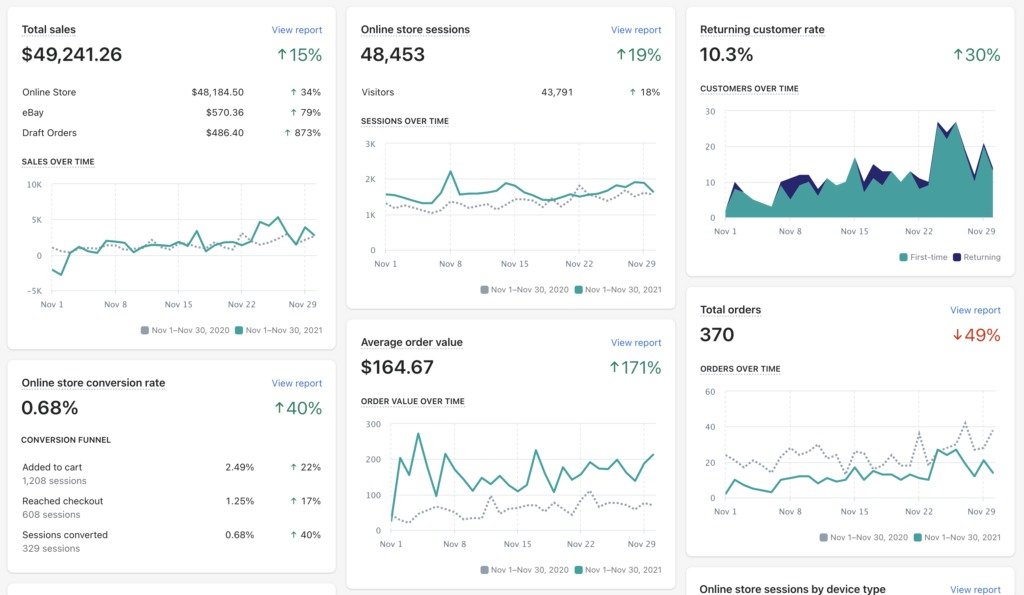
Google Search Console — your free command center for monitoring how Google sees your store
- Connect your store to Google Search Console (search.google.com/search-console) — this free tool shows exactly which pages Google has found and which keywords bring you traffic.
- Install Google Analytics 4 (GA4) to track visitors, traffic sources, and how people behave on your store.
- Verify HTTPS is active — Shopify enables this automatically. Check for the padlock icon in your browser.
- Submit your XML Sitemap to Google Search Console. In Shopify, your sitemap is always at: yourstore.com/sitemap.xml
- Check robots.txt at yourstore.com/robots.txt — ensure it is not accidentally blocking your product or collection pages.
- Fix duplicate content created by product variants (same product in different colors/sizes generates duplicate URLs).
- Ensure every page loads correctly on mobile — Google uses mobile-first indexing, meaning it crawls the mobile version first.
- Find and fix broken links (404 errors) using the Coverage report inside Google Search Console.
💡 Pro Tip: Start here before anything else. A technically broken store will not rank no matter how good the content is.
2. Keyword Research — Target the Right Searches
Keyword research is the most important step before writing any content. Target the wrong keywords and you will get zero traffic even with perfect SEO. You need to know exactly what your customers in the US, UK, and Canada type into Google.
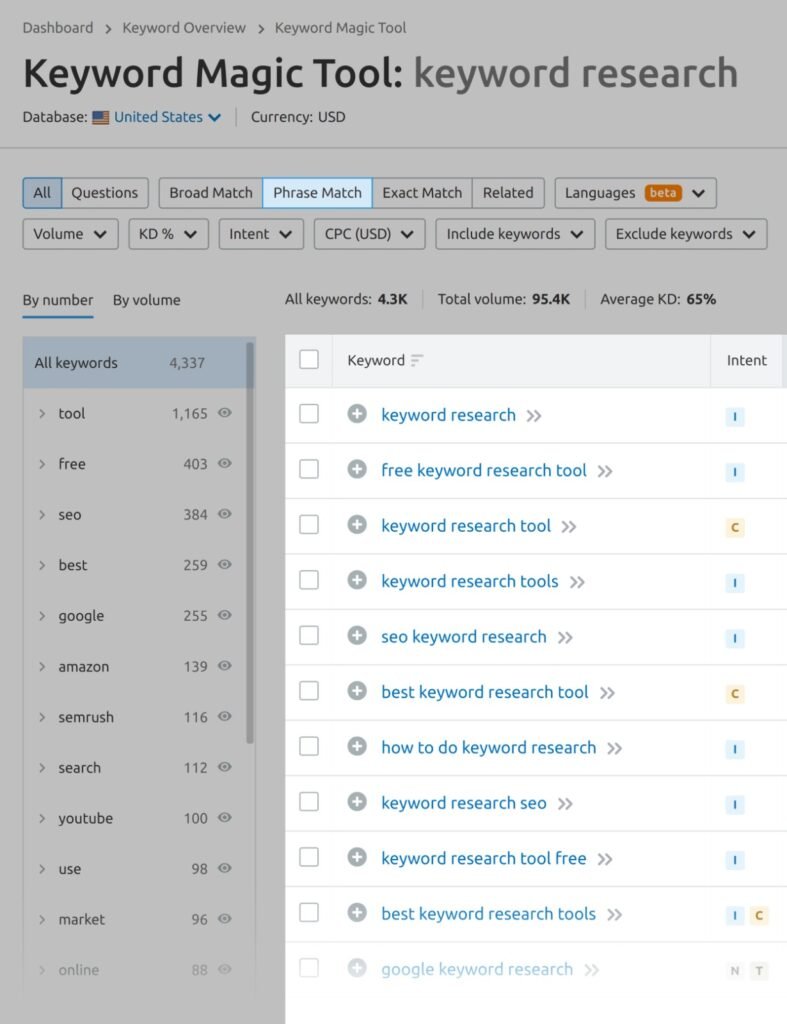
Keyword research tools help you find what your exact target audience is searching for on Google
3 Types of Keywords You Need
- Transactional Keywords — buyers ready to purchase. Example: ‘buy leather wallet online USA’, ‘best wireless earbuds under $50’. Use on product pages.
- Commercial Keywords — shoppers comparing options. Example: ‘best skincare brands 2026’, ‘top Shopify stores for fitness gear’. Use on collection pages.
- Informational Keywords — people researching and learning. Example: ‘how to care for leather shoes’, ‘what is collagen peptides’. Use in blog posts.
Keyword Research Checklist
- Use Google Keyword Planner (free) or Ubersuggest to find keywords with solid search volume — filter by country: US, UK, or Canada.
- Focus on long-tail keywords (3–5 word phrases) — they are less competitive and convert better. Example: ‘organic baby skincare US’ beats ‘baby skincare’.
- Check the ‘People Also Ask’ section in Google — these are actual questions your audience is asking, and every one is a blog post opportunity.
- Assign one primary keyword per page — never try to rank the same keyword on two different pages (this is called keyword cannibalization).
- Analyze your top 3 competitors using free tools like Ubersuggest — see exactly which keywords their pages are ranking for.
💡 Pro Tip: Western audiences use very specific, intent-driven searches. Long-tail keywords like ‘best vegan protein powder for women UK’ will convert 10x better than broad terms like ‘protein powder’.
3. On-Page SEO — Optimize Every Page for Google
On-page SEO is what you do inside your own pages to make them rank. In 2026, Google rewards pages that match search intent perfectly and provide genuine value — not pages stuffed with keywords.
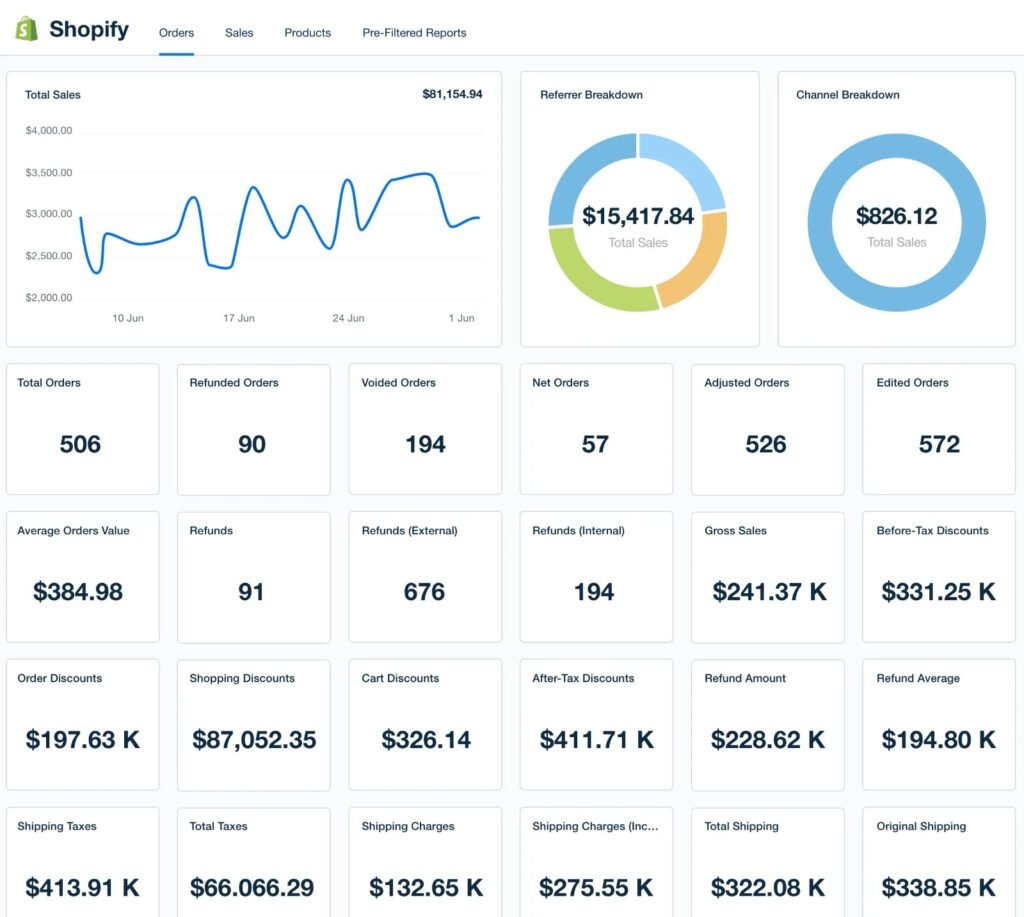
Every Shopify product and blog page needs a unique, optimized meta title and meta description
Product Page Checklist
- Include your primary keyword in the product title (H1). Shopify automatically uses the product title as the H1 tag.
- Write a unique product description of 150–300+ words. Never copy manufacturer descriptions — Google penalizes duplicate content.
- Write a custom meta title (under 60 characters) and meta description (under 160 characters) for every product. In Shopify: Product → Search Engine Listing Preview → Edit Website SEO.
- Add descriptive alt text to every product image. Example: ‘Men’s brown genuine leather bifold wallet with RFID protection’. This helps Google and visually impaired users.
- Use H2 and H3 subheadings inside descriptions — ‘Key Features’, ‘How to Use’, ‘Size Guide’, ‘Why You’ll Love It’.
- Keep product URLs clean and keyword-rich. Bad: /products/item-12345 | Good: /products/mens-leather-bifold-wallet
- Add product reviews — user-generated content is fresh content that Google loves, and it builds trust with shoppers.
Collection Page Checklist
- Add a 200–300 word unique description at the top of every collection page. Most stores skip this and miss a major ranking opportunity.
- Write a custom meta title and meta description for every collection page — never leave these blank.
- Use keyword-rich collection URLs: /collections/mens-running-shoes not /collections/collection-1
4. Site Speed & Core Web Vitals — Speed = Rankings
Google officially uses page speed as a ranking factor in 2026. A slow store ranks lower and drives visitors away before they even see your products. The majority of your Western visitors will be on mobile — if your site takes more than 3 seconds to load, over 50% will leave immediately.
Google PageSpeed Insights scores your store — aim for 70+ on mobile to compete in search rankings
- Test your store speed at pagespeed.web.dev — aim for a score of 70 or above on mobile.
- Compress all images before uploading using TinyPNG or Squoosh (both free). Uncompressed images are the #1 cause of slow Shopify stores.
- Use WebP image format — it is up to 30% smaller than JPG with the same visual quality.
- Choose a fast, lightweight Shopify theme — Dawn (Shopify’s free theme) is one of the best performing themes for Core Web Vitals.
- Remove unused Shopify apps — every app installed adds code that slows your store, even if you’re not actively using it.
- Enable lazy loading for images — this means images only load when a visitor scrolls to them, making the initial page load much faster.
💡 Pro Tip: Run your PageSpeed test on mobile, not desktop. Google uses the mobile score for ranking. Most stores score 90+ on desktop but only 40-60 on mobile — that gap is your ranking problem.
5. Schema Markup — Unlock Rich Results on Google
Schema markup is structured code you add to your pages that tells Google exactly what your content is — a product, a review, an article, a FAQ. When Google understands your content, it can display ‘rich results’ directly on the search page, like star ratings, prices, and FAQ dropdown answers. These rich results get significantly more clicks than plain blue links.
Schema markup enables rich results like star ratings and prices to appear directly on Google search results
Most Important Schema Types for Shopify
- Product Schema — shows product name, price, availability, and star ratings in Google search. Shopify’s Dawn theme includes basic product schema. Verify yours at search.google.com/test/rich-results
- Article Schema — for blog posts. Tells Google it is an article, who wrote it, and when it was published. Adds credibility signals.
- FAQ Schema — if your page has a FAQ section, mark it up. Google can display your questions as expandable dropdowns right on the search results page — this dramatically increases click-through rate.
- BreadcrumbList Schema — helps Google understand your site structure and displays navigational breadcrumbs in search results.
How to Add Schema to Shopify (Without Coding)
- Use the ‘JSON-LD for SEO’ Shopify app — beginner-friendly and handles Product, Article, and FAQ schema automatically.
- ‘Smart SEO’ app ($4.99/month) is another good option with more control over schema types.
- After adding schema, always verify at: search.google.com/test/rich-results — paste your URL and check for errors.
💡 Pro Tip: FAQ Schema is the fastest win for blog posts. Add a 3–5 question FAQ at the bottom of every blog article, mark it up with FAQ schema, and your answers can appear as expandable dropdowns on Google — without needing to rank position 1.
6. Link Building — Build Authority That Lasts
Backlinks are links from other websites pointing to yours. Google treats them as trust votes. A store with 30 quality backlinks will consistently outrank a store with zero, even if the content is similar. For Western markets specifically, getting links from US and UK websites signals to Google that your store is relevant for those audiences.
Quality backlinks from trusted websites are one of the strongest ranking signals in Google’s algorithm
- Write guest blog posts for other websites in your niche in exchange for a link. One quality guest post per month is enough to start building authority.
- Get listed in relevant online directories — Google Business Profile, Yelp, and niche-specific directories relevant to your products.
- Reach out to bloggers and micro-influencers and offer free products in exchange for an honest review with a link back to your store.
- Use HARO (Help a Reporter Out) or its successor Connectively — journalists post requests for expert quotes and link to your site when they use your response.
- Set up Google Alerts for your brand name — when someone mentions your store without a link, email them and politely ask for one.
- Never buy links from link farms or cheap SEO services — Google’s spam detection in 2026 is sophisticated enough to identify and penalize these.
7. Post-Publish Checklist — Do This After Every Blog Post
Publishing is not the finish line — it is the starting gun. Most beginners hit publish and wait. Here is exactly what to do after every page or blog post goes live.
- Add Schema Markup — add Article Schema and FAQ Schema to every blog post. Use the JSON-LD for SEO app or add the code manually to your theme.liquid file.
- Fill in Meta Title & Meta Description — go to your blog post in Shopify → Search Engine Listing Preview → Edit Website SEO. Write a compelling title (under 60 characters) and description (under 160 characters) with your target keyword included.
- Request Indexing in Google Search Console — paste your new post URL into the Search Console search bar and click ‘Request Indexing’. This tells Google to crawl your page immediately instead of waiting weeks.
- Add Internal Links From Older Posts — go to 2–3 older blog posts or product pages and add a link to your new post where relevant. This passes authority to the new page and helps Google find it faster.
- Share on Social Media — post on Facebook Groups in your niche, Pinterest (great for US/UK product stores), and relevant Reddit communities. Early traffic signals matter.
- Verify Open Graph Tags — check how your post appears when shared on Facebook using developers.facebook.com/tools/debug. Set a featured image so your post looks professional when shared.
- Monitor in Search Console Monthly — 4–8 weeks after publishing, check Search Console → Performance to see which keywords your post is appearing for. Optimize your content to rank higher for those terms.
Frequently Asked Questions
How long does Shopify SEO take to work?
Most Shopify stores see early improvements within 8–12 weeks. Strong, consistent organic traffic growth typically takes 3–6 months. SEO compounds over time — every post you publish and every technical fix you make adds to your site’s authority permanently.
Do I need a paid SEO app for my Shopify store?
Not to start. Shopify has solid built-in SEO features and Google’s free tools (Search Console + Analytics) cover most of what you need. Consider the Smart SEO app ($4.99/month) or JSON-LD for SEO only when you are ready to add schema markup at scale.
Is Shopify good for SEO in 2026?
Yes. Shopify automatically handles SSL, sitemaps, canonical tags, and mobile responsiveness. The only limitation is that you cannot change URL prefixes like /products/ or /collections/. Focus your effort on content quality, schema markup, and backlinks — these move the needle most.
How do I specifically target US and UK traffic?
Use Google Keyword Planner filtered by country to find what Western shoppers search for. Write in clear, professional English (run everything through Grammarly). Display prices in USD or GBP prominently. Build backlinks from US and UK websites and directories. These signals together tell Google your store is relevant for Western audiences.
Final Thoughts: Start With One Step Today
Shopify SEO in 2026 is about three things: a technically clean store, genuinely helpful content, and consistent effort over time. None of this requires a big budget — it requires patience and the willingness to show up every week and do the work.
Start with Step 1 today — connect Google Search Console and submit your sitemap. Then work through this checklist section by section. You do not need to do everything at once.
The stores winning at SEO in 2026 are not the ones spending the most — they are the ones being the most consistent. Start today.
For more guides on ecommerce growth, SEO, and digital marketing — visit Apexora360.com